
 Monday, July 26, 2010
Back in 2008, EditMe introduced its unique concept of relating pages directly to each other. Instead of categories or folders, every page became a container for related pages. Each page can contain multiple pages, and can be contained within multiple pages.
The tools in the editing screen to manage these started simple. A list of Parent pages and a list of Child pages for the current page let you manage the relationships. Today we released an update to improve this experience.
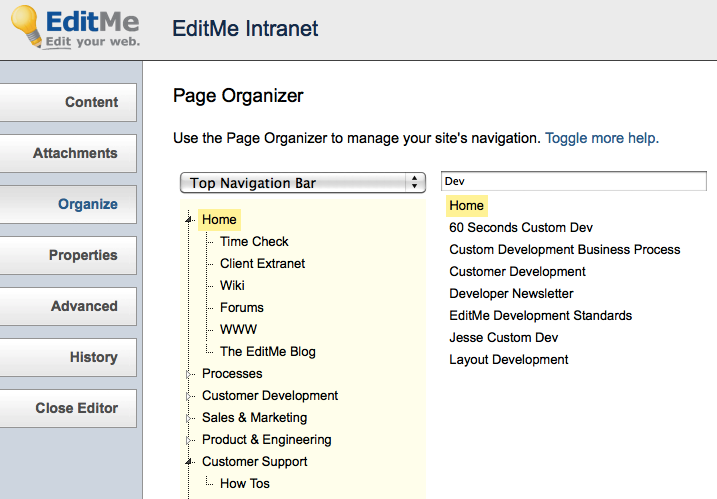
You can now view and manage the entire tree navigation from the editor of any page. Simply click the Organize tab to access the new feature. A tree on the left provides visualization of page relationships, while a search box on the right provides access to all pages on the site. These can be dragged and dropped into any location in the tree to establish a new relationship.
Give it a try and let us know what you think here or in the comments below.


