
 Monday, March 29, 2010
A new module is now available to display an interactive calendar of events in Month, Week or Day view and lets registered users and/or administrators add and edit events. The calendar can be integrated into any EditMe page with a simple include tag, and supports multiple calendars within the same site.
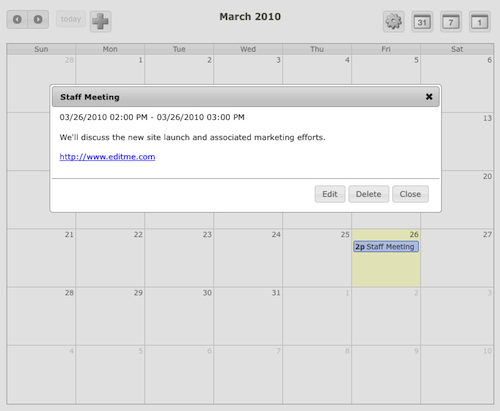
To install the calendar module, to go Site Settings -> Modules and click the Calendar Module. Then click Install Module at the bottom of the screen. Once installed, you'll see a link to a help page explaining how to use the module. You can also read about the module's features in detail on the Calendar Module page of the Customer Wiki.
This initial release of the module supports creation and editing of events to be displayed in the calendar. We'd love to hear your ideas for additional features surrounding this module at our feedback site. We have some ideas, of course, but your feedback will help us decide what to add next.


